








Skip to content

Feature · Rooming

Rooming list: assign rooms for your events without Excel

Hotels, room types, roommates, and quotas all in one place, with an up-to-date rooming list for each hotel.

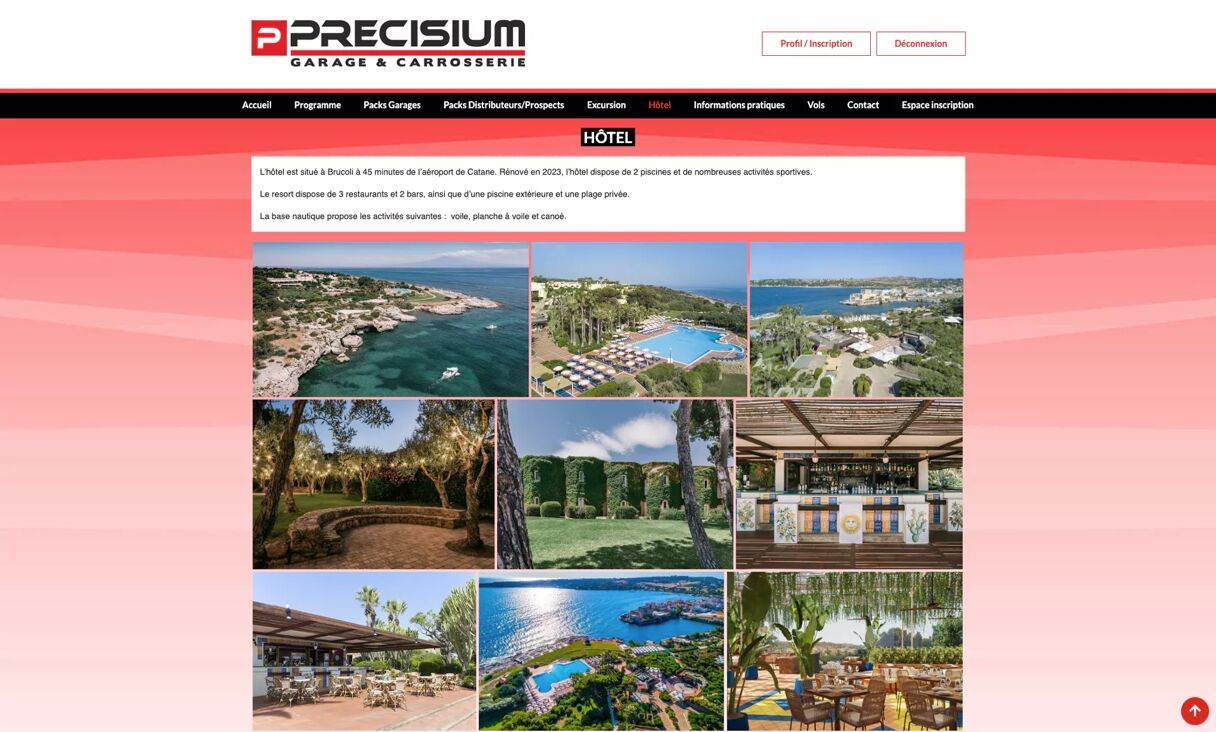
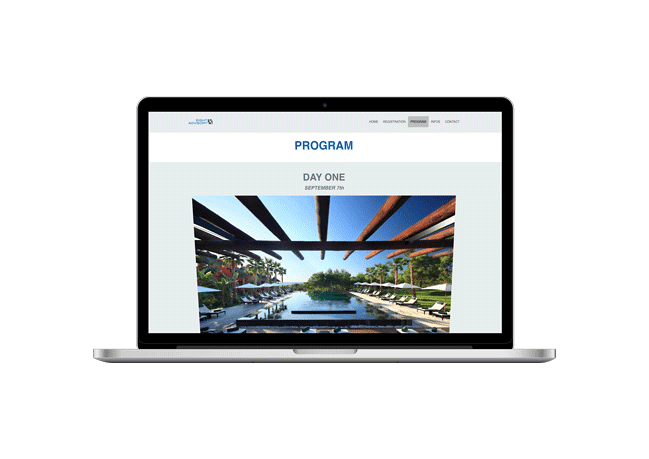
HOTEL page on the PRECISIUM platform for an event in Brocoti: photos of the resort, swimming pool, private beach, and gardens, with information on available water sports activities.

What is a rooming list?

The group room list sent by the organizer to the hotel

A rooming list (also known as a room list) is the master list of rooms booked for a group: for each room, it details the hotel, room type, guest names, and stay dates. Organizers send it to the hotel before arrival so staff can prepare rooms and streamline check-in.

For a seminar or convention, rooming lists keep shifting right up to the last minute: cancellations, roommate swaps, extra nights. That’s how Excel versions quickly pile up. AppCraft’s Rooming module connects your registrations directly to your hotel room inventory: attendees choose their hotel, room type, and roommate; you allocate remaining rooms in bulk; and each hotel accesses its rooming list via a secure link.

Book a meeting to see our Rooming module and simplify your accommodation management

Let your attendees choose their roommate

Reduce complaints and improve the guest experience

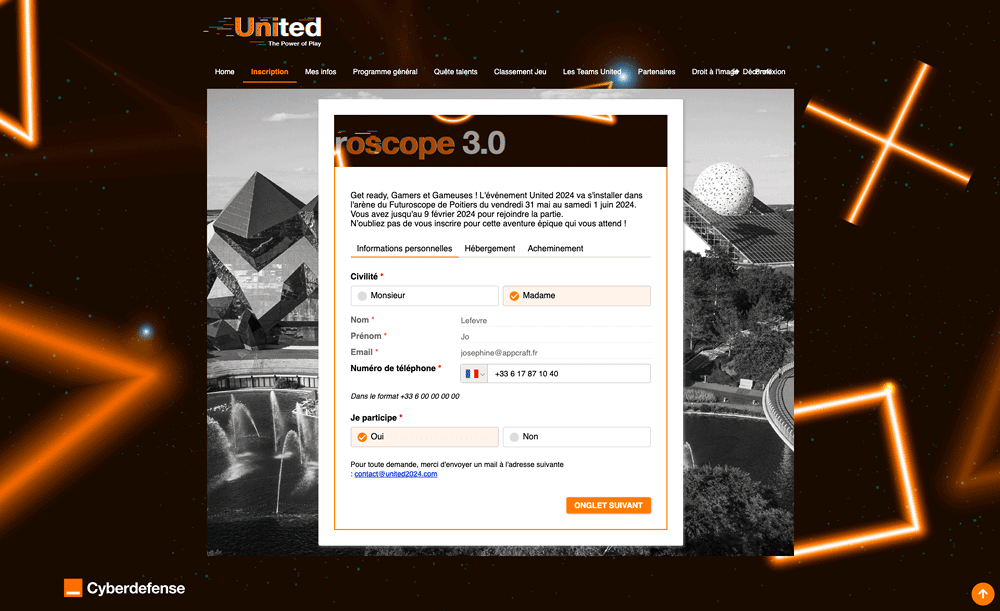
During registration or later from their attendee portal, your guests can search for and choose their own roommate from the list of registered attendees. The invited person receives an email to accept or decline; the room is confirmed once everyone agrees, and all parties are notified. If you prefer, rooms can also be confirmed automatically without requiring roommate approval.

You avoid dozens of change-request emails, and your attendees arrive with peace of mind.

Learn more
  • The Rooming module handles group accommodation: bookings, room assignments, and real-time occupancy tracking.
  • A 24/7 online platform where your guests choose their hotel and, if you offer it, their roommate
  • Details and rates for each room type, so attendees can book directly
  • A hotel and room selection form that AppCraft's AI can generate from a simple description
Organize and track your rooms in real time

Segmentation and privileges: to each their own status

Condition access to hotels and room types according to profile

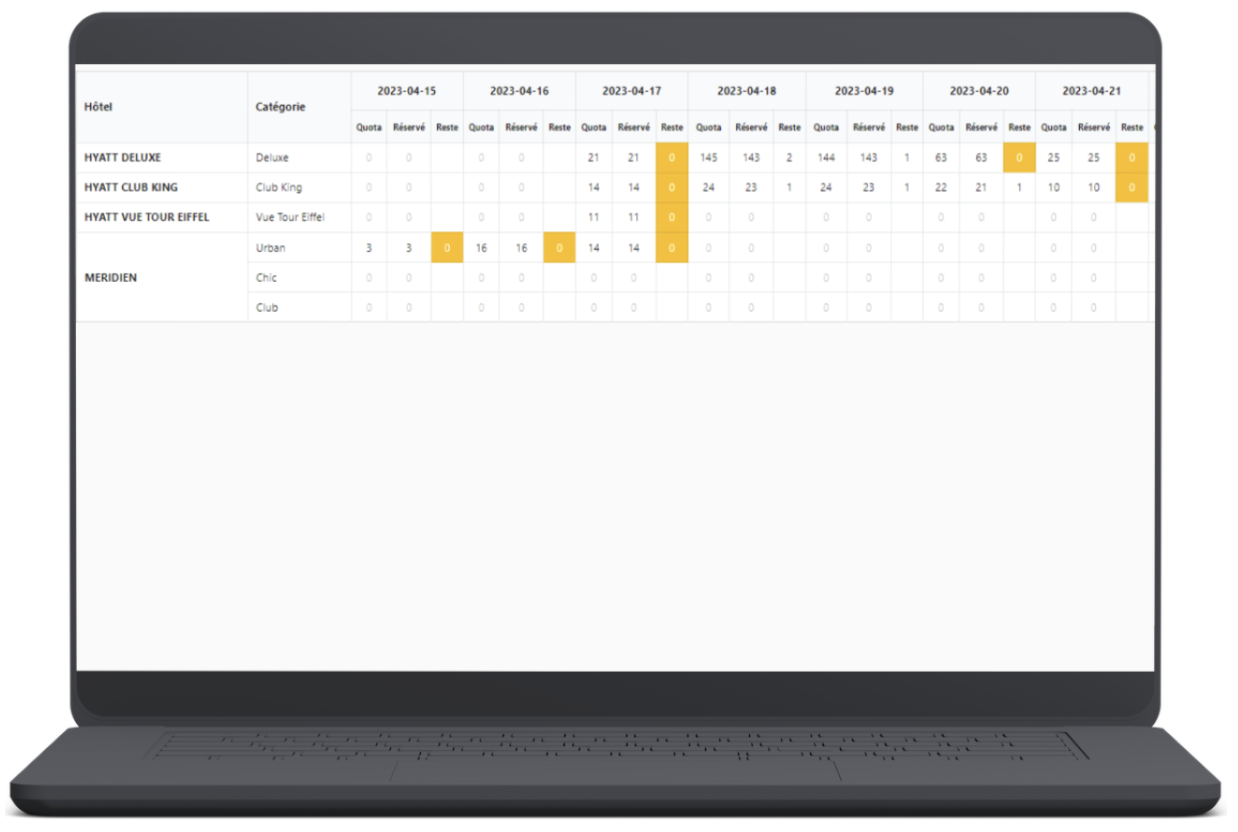
Make sure your VIP guests get the services they are entitled to without frustrating other attendees. With our advanced rules engine, you can hide or show certain hotels or room types (Suites, Sea View) for specific categories only (VIP, Executives), while tracking quotas in real time to avoid overbooking.

No more risk of your interns booking the Presidential Suite.

Learn more
  • This saves everyone time and ensures that information is updated in real time!
Centralize your group bookings and save time

Smart assignment: Say goodbye to Excel Tetris

No more hassle of manual line-by-line assignments

Once attendees have made their choices, are you still left with empty spots in your rooming lists? Select unassigned attendees—by department or country, for instance—then choose which hotels to fill: AppCraft automatically distributes them across available rooms, respecting each hotel's quotas. The tool plays Tetris for you.

Learn more
  • Historically, and still today in many organizations, managing rooming lists relies on an outdated process:
  • 1. The organizer receives a room block from the hotel.
  • 2. They create a master Excel file ("Master_Rooming_V1.xlsx").
  • 3. They manually enter the data from the registration forms.
  • 4. They email the file to the hotel, the travel agency, and the client.
  • 5. Changes pile up (name changes, dates, special diets), creating competing versions (V2, V3_Final, V3_Final_ForReal).
  • This process is inherently flawed. It leads to re-entry errors, version control problems and, above all, major security gaps.
Edit your room lists easily and in real time

A rooming list ready to send to the hotel

What’s in your rooming list, with zero manual re-entry

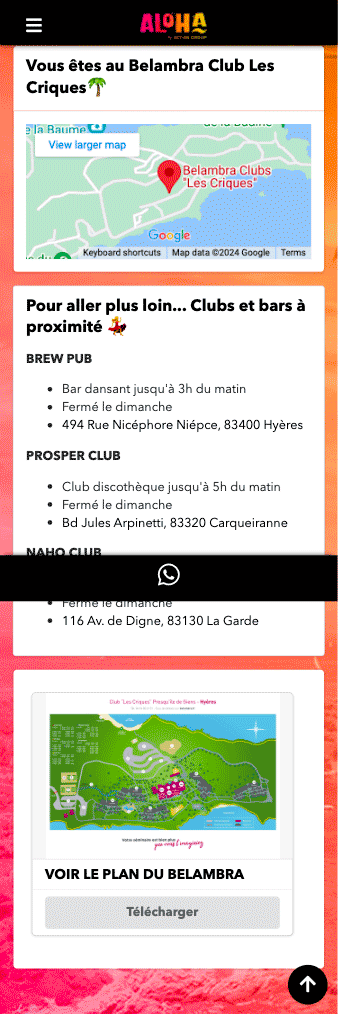
The module has an operational purpose: generate clean, legible, and complete rooming lists (including dietary requirements or special notes) ready to be sent to hoteliers with a single click. On the participant side, as soon as the room is confirmed, the information is automatically sent to their mobile app (room number, roommate's name, hotel address) for paperless communication.

Learn more
  • First and last name of each guest
  • Hotel
  • Room type: single, double, twin, or triple
  • Roommate(s)
  • Check-in and check-out dates
  • One column per night when stays vary in length
  • Special requests: dietary requirements, accessibility, notes for the front desk
Optimize your quotas and simplify attendee management.

Rooming lists: what our events show

Based on 17 events managed with AppCraft between November 2025 and November 2026 (aggregated and anonymized data)

The median rooming list covers 111 rooms. The largest exceed 400 rooms, and the biggest reached 603.

Two out of three rooms (64%) are shared by two people, 31% are singles, and 5% accommodate three or more: choosing a roommate applies to the majority of your attendees.

Most of these events accommodate everyone in a single hotel; the largest use up to 7, each with its own quotas and rooming list.

Learn more
  • We count rooms and occupied spots, never people: no attendee names or profiles are accessed for this calculation.
  • Figures are aggregated across all these events: no client is identifiable.
  • Test and demo events are excluded, as are events whose data was deleted after they ended. These figures therefore reflect a sample, not our entire activity.
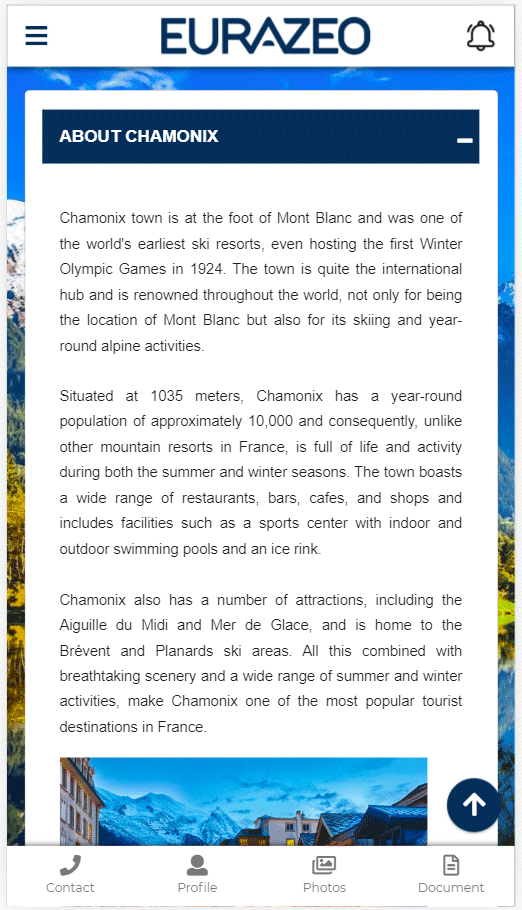
AppCraft mobile rooming selection interface letting the attendee choose the room category and their roommate directly from the event app.

The power of Excel, the intelligence of the Cloud.

Sample rooming management workflow

We know Logistics Directors are Excel experts. We didn't want to take that flexibility away from you; we improved it.

Our "Grid View" interface lets you filter, sort, bulk-edit, and manipulate your data as fast as in a spreadsheet, but with the security of a centralized database. No more version errors, no more access conflicts: everyone works on the same clean, up-to-date data.

Learn more
  • Access to hotel lists
  • Room type creation
  • Access to field lists
  • Access to hotel occupancy rates
  • Editing roommate matching rules
  • Any attendee criteria can be used as a matching key
Set up your rooming workflow
AppCraft event rooming management interface showing hotel quotas by date and room category, with real-time tracking of bookings and availability.

Share your rooming list with each hotel via a secure link

No more files sent by email, fully protected data

Instead of sending insecure Excel files, generate a unique HTTPS link for each partner hotel: the hotel accesses a filtered view of its rooming list, updated as soon as you modify a room.

No sensitive personal data (passports, dietary requirements) is ever sent via unencrypted email.

Streamline check-in on event day with the module built into the mobile app.

Learn more
  • When an attendee scans their badge at the event entrance, the host can see "Hôtel Martinez - Room 202" and remind them about their shuttle.

FAQ: How to Organize and Optimize Rooming for an Event?

What is a rooming list, and do you need software to manage it?

A rooming list is the group room list that an organiser sends to the hotel: for each room, it details the occupants, room type, and dates of stay.

If you only need a few rooms in a single hotel, a spreadsheet will do. But as soon as an event reaches around a hundred rooms (the median size observed across 17 of our events), spans multiple hotels, or lets attendees choose their roommates, dedicated software eliminates manual re-entry and conflicting file versions.

AppCraft links your rooming list directly to registrations: every change on the attendee side is automatically reflected in the hotel's list.

How can we automate room assignments while respecting participants' preferences?

Room assignment has to take into account guest preferences, their profile, and hotel availability.

With AppCraft, organizers can let attendees choose their hotel, their room type and, if the event allows it, their roommate.

Remaining room assignments can then be handled in batches, based on criteria you define, such as department or country.

This allows the organizer to adjust the allocation to suit the specific requirements of their event.

How should hotel quotas and rooms reserved for VIPs be managed?

To manage quotas effectively, it is important to track availability by hotel and room type, while defining the conditions for accessing various services.

AppCraft allows you to customize lodging options based on participants' profiles. For example, certain room categories can be offered exclusively to VIPs or members of management.

The module also tracks hotel occupancy rates and availability to help logistics teams anticipate needs and adjust assignments.

How can I share an up-to-date rooming list with multiple hotels without creating multiple Excel files?

To avoid errors caused by different versions of Excel files, organizers can use a centralized rooming list that is accessible to the relevant partners.

AppCraft allows each hotelier to generate a unique HTTPS link. The hotelier can view a filtered and up-to-date version of the rooming list without having to receive a new file every time a change is made.

Organizers also have access to an Excel-style interface for filtering, sorting, and editing their data. This approach facilitates collaboration with hotels while limiting the sharing of personal data via email.

What are the limitations of rooming software, and how can you handle last-minute changes?

Rooming software simplifies the assignment and tracking of accommodations, but it does not replace coordination with hotels. Last-minute changes, in particular, must take into account actual availability and booking conditions.

With AppCraft, teams can modify room assignments from a centralized database and update the information shared with hotels. Participants can also view their lodging details in their event app.

To avoid mistakes, it is still essential to check availability regularly and establish a confirmation procedure with each hotel.

Ready to save time on your next events?

Join the 1,500+ event planners already running their B2B events with AppCraft.

Free personalized demo · Reply within 24 hours