

Skip to content

Feature · Event templates

Event Templates: Create Without Starting from Scratch

Reuse your events, customize them, and save time with each new edition

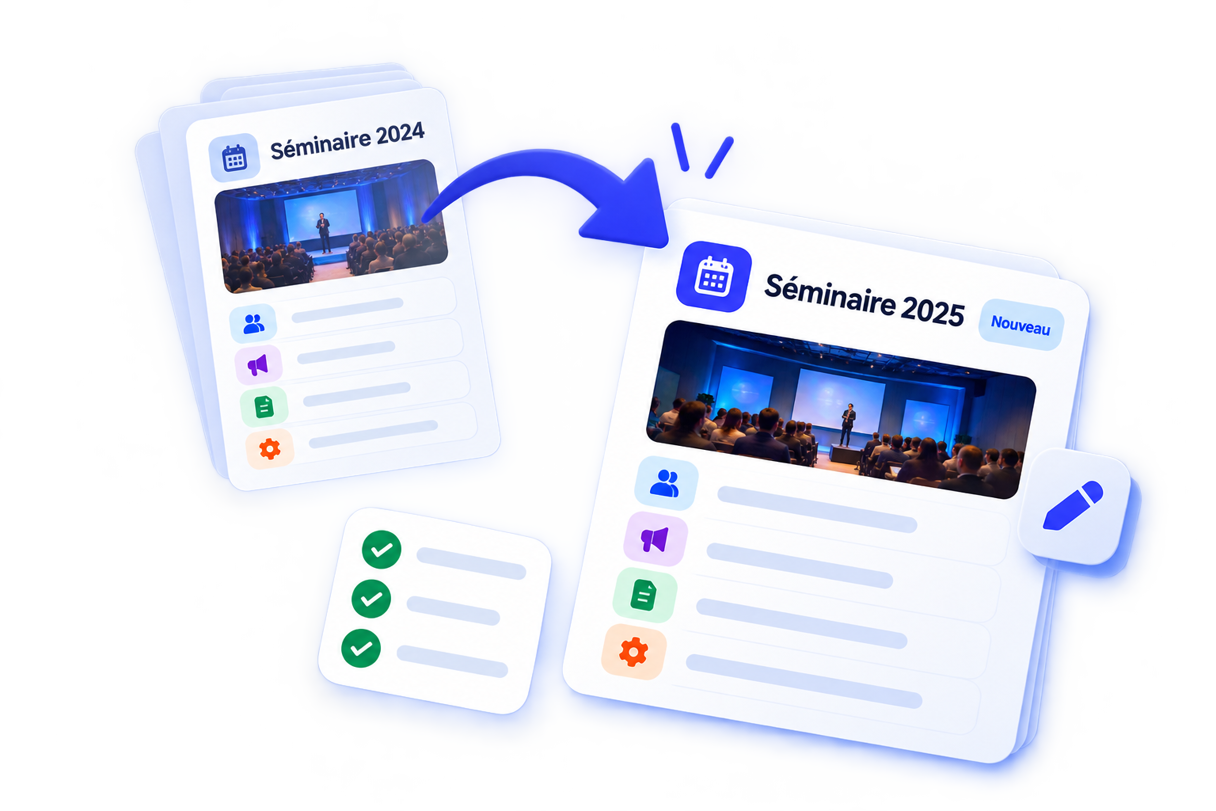
Duplicating an AppCraft event template to reuse an existing configuration and quickly create a new edition.

Don't have to start from scratch every time there's an event

Turn your existing events into reusable templates

Do you regularly organize seminars, conventions, conferences or internal events? With AppCraft event templates, build on work you've already done. Reuse an existing setup as a starting point, adapt it to your new project's needs and avoid rebuilding your event from a blank page. Your teams save time, align their practices and can focus on what really matters: content and the attendee experience.

A new edition doesn’t have to mean a brand-new setup. When your events share a similar structure or requirements, AppCraft lets you build on an existing template instead of rebuilding everything from the ground up. You start with a proven foundation, then tailor the new event to its specific context, audience, and goals. This approach is ideal for recurring events: annual seminars, conventions, conferences, roadshows, or internal events. The result: less time spent configuring and more time focused on your event.

Let's talk about your next event

Duplicate. Adapt. Launch.

Reduce repetitive tasks when creating your events

Creating a new event often involves repeating settings that were already configured for a previous edition.

AppCraft templates let you reuse an existing base to cut down on these repetitive tasks.

Learn more

Your team builds on an existing framework and focuses its efforts on what’s actually changing: the content, the participants, the program, or the specific details of the new edition.

This makes it easier to plan your events without sacrificing their personal touch.

  • Reduce the time needed to launch a new event.
  • Avoid manually reproducing the same setups.
  • Build on best practices from previous editions.
  • Speed up the launch of your new projects.
  • Spend more time on the attendee experience.
Save time on your upcoming events
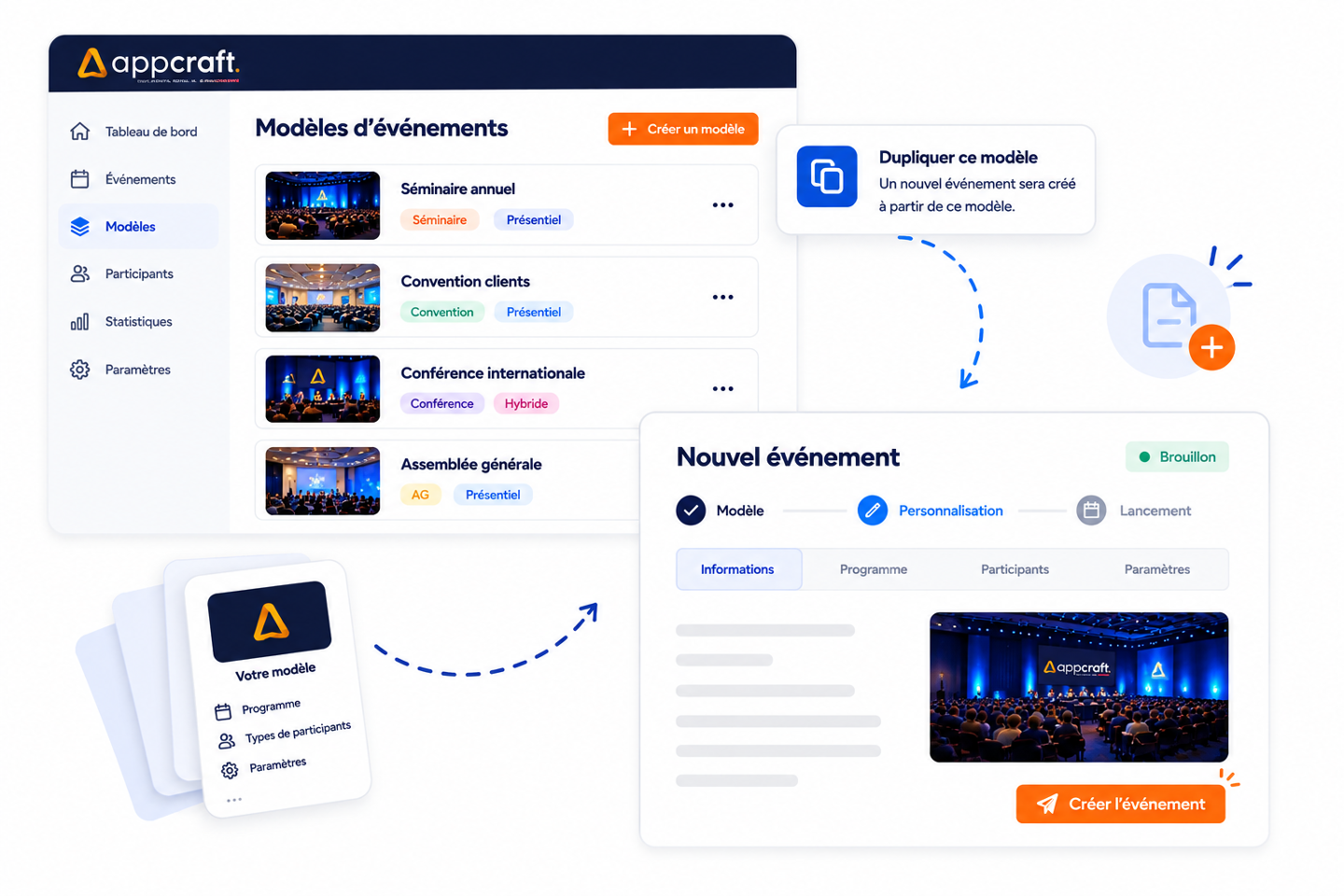
AppCraft interface for creating a new event from a preconfigured event template.

Standardize your events without making them all the same

A shared framework for your teams, an experience tailored to each event

When multiple employees, departments, or units organize events, the number of different work methods can quickly increase.

Templates create a shared foundation your teams can work from.

Learn more

This helps ensure consistency across your various events while allowing each organizer to tailor their project to their own goals.

A template is therefore not a frozen event: it's a common, reusable starting point.

  • Align the way your teams create events.
  • Create bases tailored to your different formats.
  • Make it easier to roll out events across several teams or entities.
  • Keep a common logic from one edition to the next.
  • Then customize each event to its needs.
Harmonize how you manage your events
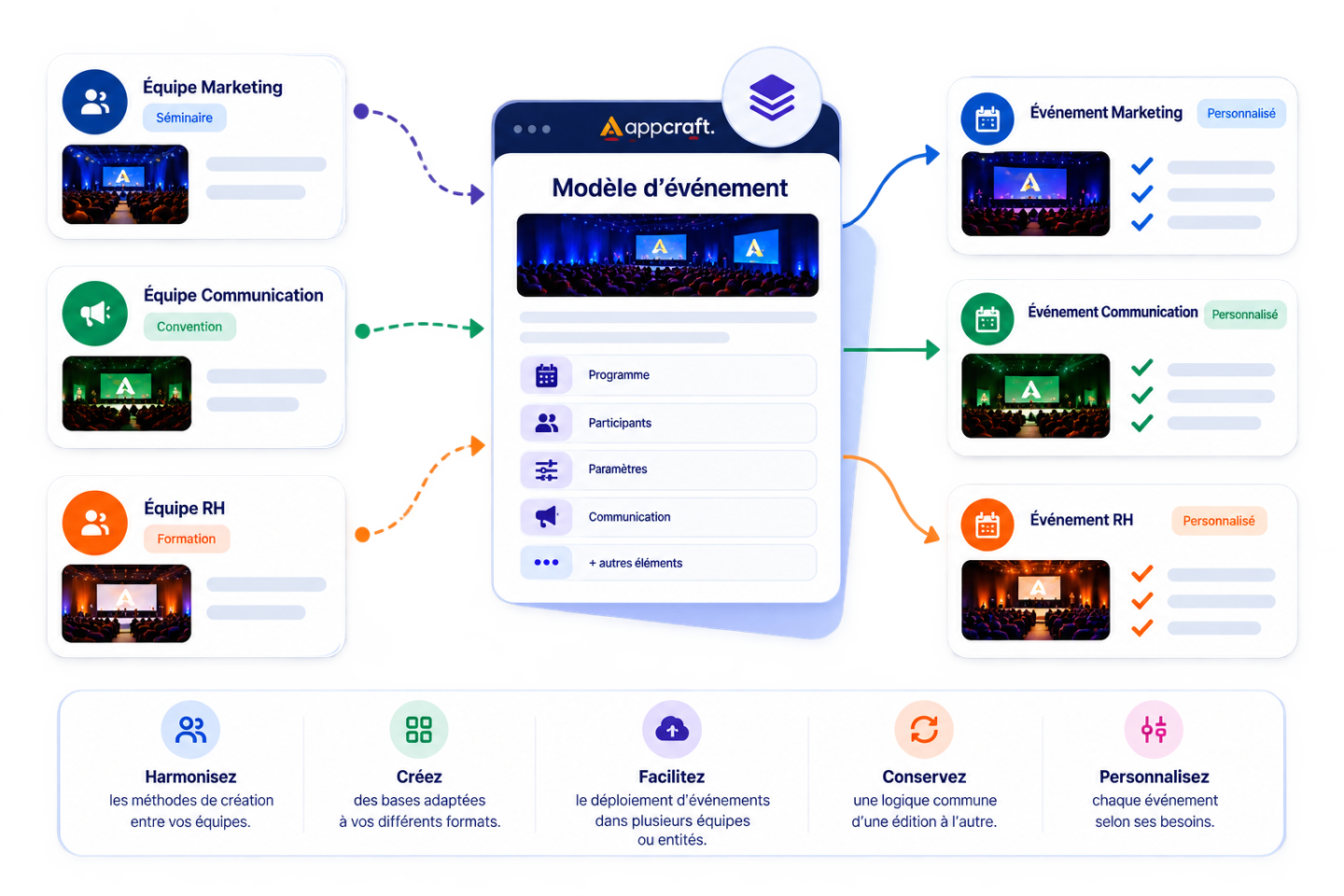
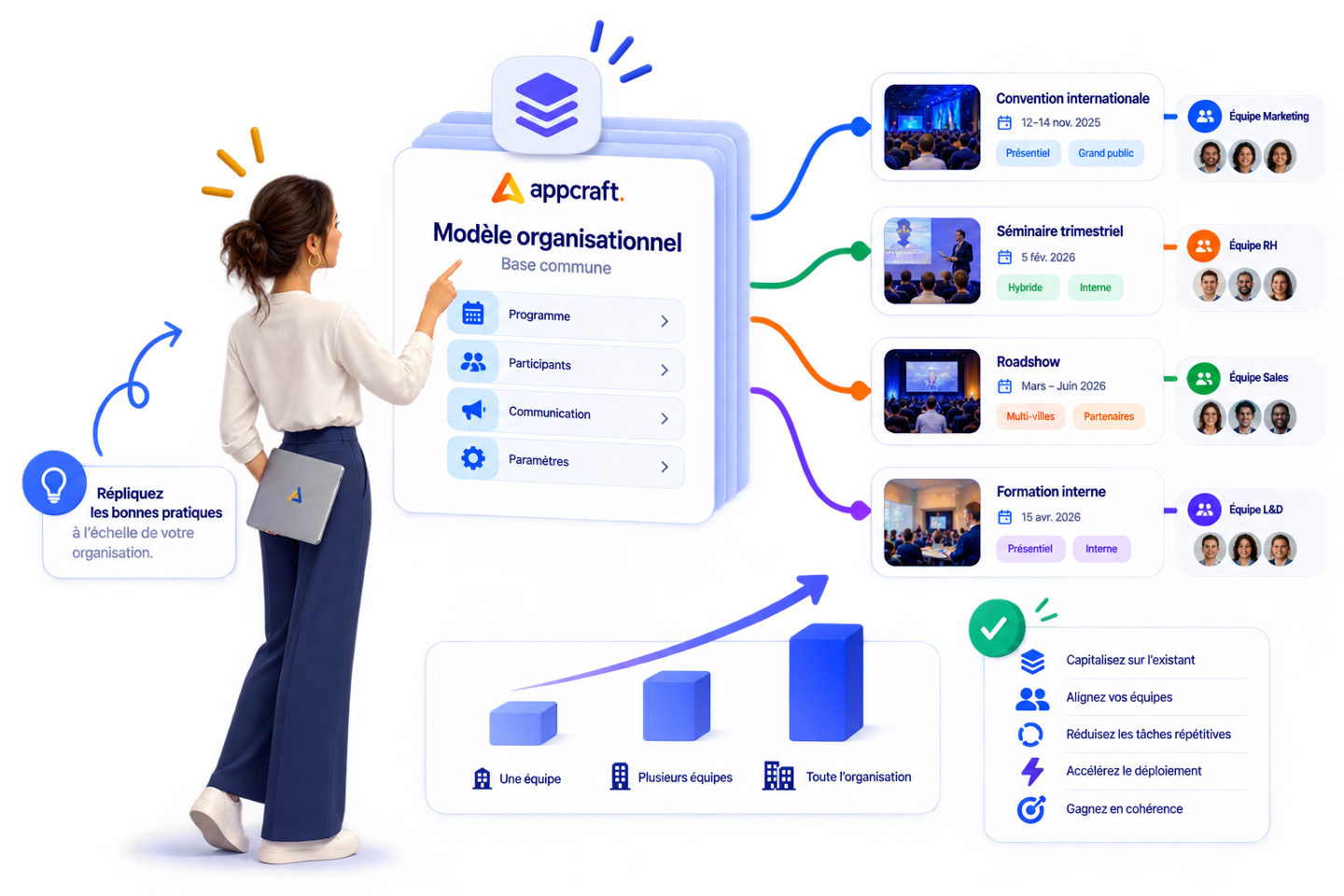
AppCraft event template that lets teams standardize event creation while customizing each project.

Designed for events that happen every year… or every week

Manage your seminars, conventions, and recurring events more easily

An annual conference, a quarterly seminar, or a series of internal events generally share some of the same structure.

Why rebuild this database with every new edition?

Learn more

With AppCraft templates, you can start with a configuration you've already used and then adapt it for the new event.

The more events you organize, the more this approach lets your teams build on what exists and industrialize repetitive tasks.

  • Particularly well suited to:
  • annual conventions;
  • corporate seminars;
  • internal events;
  • conferences;
  • roadshows;
  • trade shows and congresses;
  • training sessions;
  • customer events;
  • events run as a series.
Let's talk and simplify your recurring events
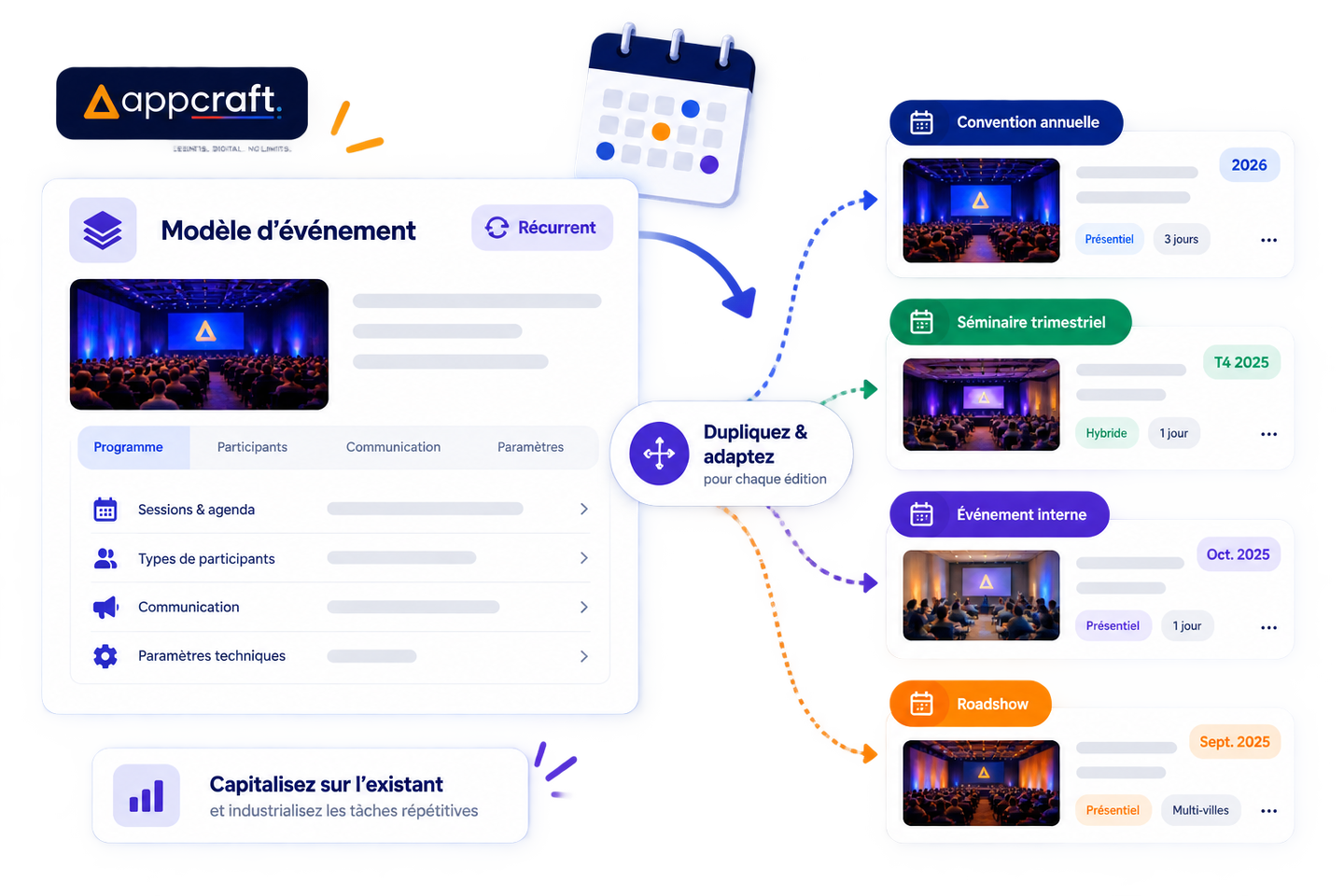
AppCraft event templates to easily duplicate and adapt seminars, conventions and recurring events.

Switch from an event-by-event approach to a multi-event approach

A common platform to support all your teams

For an organization that manages numerous events, the real challenge is no longer just about putting together an event quickly.

It's about being able to replicate best practices across the organization.

Learn more

Templates facilitate this approach by providing teams with a common foundation on which to build their events.

Each project retains its unique characteristics, while the organization gradually builds on the approaches that work.

An approach that's especially relevant for companies, groups and organizations with several organizing teams or entities.

  • Build on setups that are already proven.
  • Make life easier for teams that organize several events.
  • Create a common logic across different editions.
  • Reduce repetitive setup tasks.
  • Speed up the rollout of new events.
Discover AppCraft for your large-scale events
AppCraft event templates to standardize best practices and roll out events across several teams.

Build on what's already working

Less reconstruction, less risk of being forgotten

Manually recreating an event automatically increases the number of tasks to be completed and parameters to be checked.

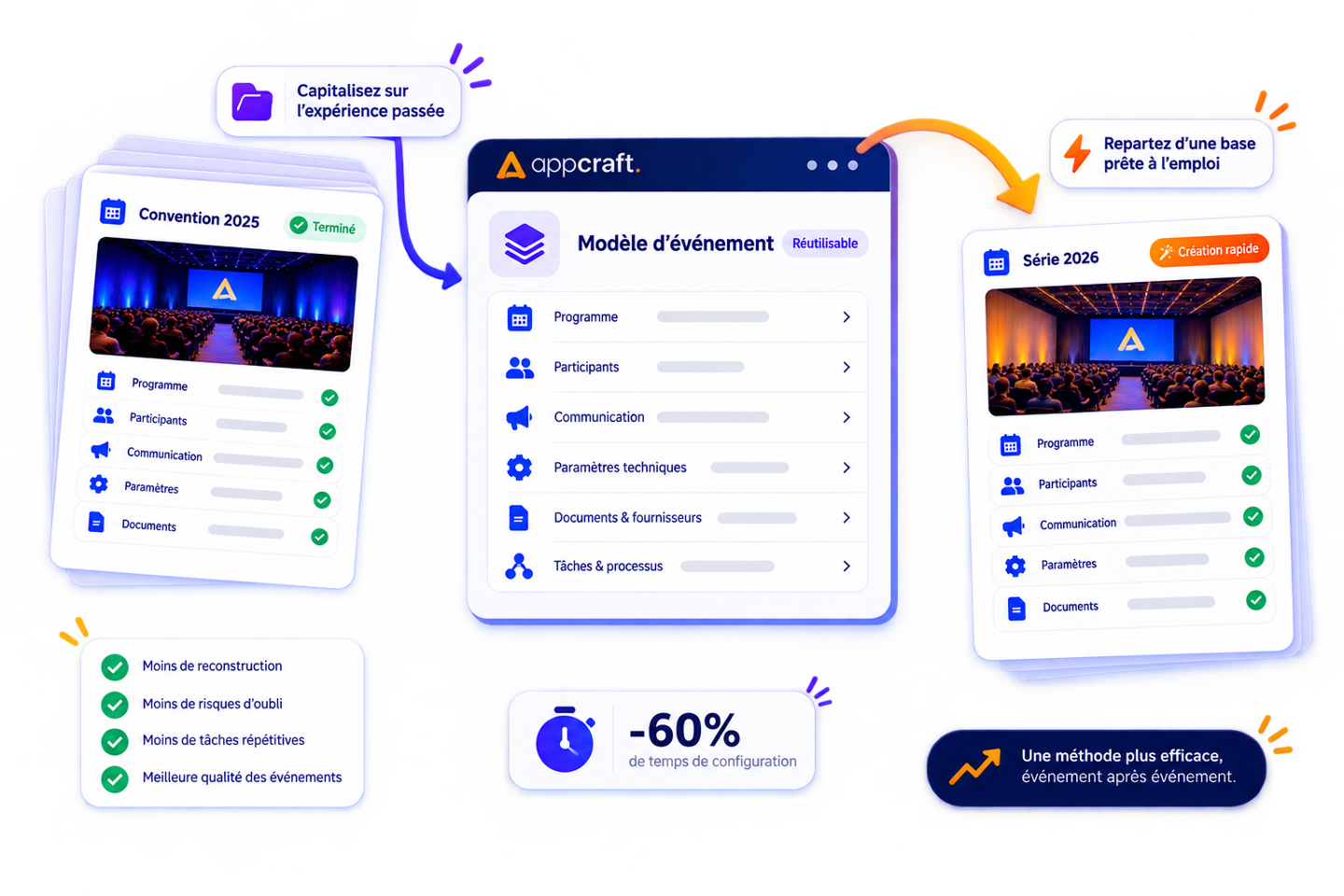
By building on a configuration that has already been used, your teams immediately have a familiar foundation to work from.

Learn more

Templates let you build on the experience of previous editions, gradually improve your setups and limit the repetitive tasks that can lead to oversights.

In this way, event after event, your organization is developing a more efficient way of working.

Make your event creation more reliable
AppCraft event template for reusing existing setups, cutting repetitive tasks and making new event creation more reliable.

FAQ - Event Templates

How do I create a new event without starting from scratch?

To create an event more quickly, you can reuse an existing configuration rather than rebuilding the entire setup from scratch.

AppCraft offers reusable event templates that include, among other things, a microsite, email campaigns, registration forms, badges, and satisfaction surveys.

From the back office, the organizer selects an available template, creates a new event based on it, and then fills in the details specific to their project.

This method allows you to retain useful configurations while tailoring each new edition to its specific objectives.

What elements can be reused with AppCraft event templates?

Event templates allow you to save a reference configuration to simplify preparations for future events.

With AppCraft, you can create a template that includes an event microsite, email communications, registration forms, badges, and satisfaction surveys.

This gives the organizer a reusable framework that can be adapted to new circumstances, such as a change in date, a change in content, or a shift in the audience.

This feature is particularly useful for companies that regularly organize events with similar requirements.

How can you organize multiple editions of the same event while preserving their unique characteristics?

When a company organizes an annual convention, a quarterly seminar, or a series of conferences, certain arrangements may be common to all events.

AppCraft lets you create new events based on an existing template. This way, each event starts with a common foundation, which the organizer can then customize.

In particular, teams can customize content, event-specific information, and participant journeys.

This approach makes it easier to manage recurring events without requiring the same format for each new edition.

How can we coordinate event planning across multiple teams or subsidiaries?

When a company has multiple departments, brands, or subsidiaries, each team may develop its own organizational methods. This can complicate coordination and lead to differences in the experiences offered.

AppCraft event templates make it possible to provide common configurations that different teams can reuse.

Each organizer thus starts with a shared framework, while retaining the ability to customize their event.

This method is particularly well-suited for companies that want to standardize their event practices without systematically centralizing the creation of each project.

What is the difference between duplicating an event and using an event template?

Duplicating an event involves reusing an existing configuration to set up a new edition. An event template is a reference configuration designed to serve as a starting point for multiple projects.

Both approaches reduce repetitive tasks, but they meet different needs.

With AppCraft, organizers can set up templates accessible from their back office and create new events from those bases.

This approach is particularly useful when an organization wants to replicate its best practices across multiple events or share them with different teams.

Ready to save time on your next events?

Join the 1,500+ event planners already running their B2B events with AppCraft.

Free personalized demo · Reply within 24 hours