
Registrations Sheet 14 / 68
Manage invitations, reminders, and other emails for your event
Optimize your email campaigns: invitations, reminders, personalized emails, anomaly management, and detailed statistics for a successful event.
Quote line: Email campaign
Demo video

Visuals
Full description of the email campaign
Full description of the email campaign Creation and sending of emails by participants
- Sending invitations: by group / by inviter / adding a second email address in cc on the inviter's email
- Option for attendees to unsubscribe from emails – GDPR recommendations
- Creation or connection of a webmail dedicated to the event for the organizer
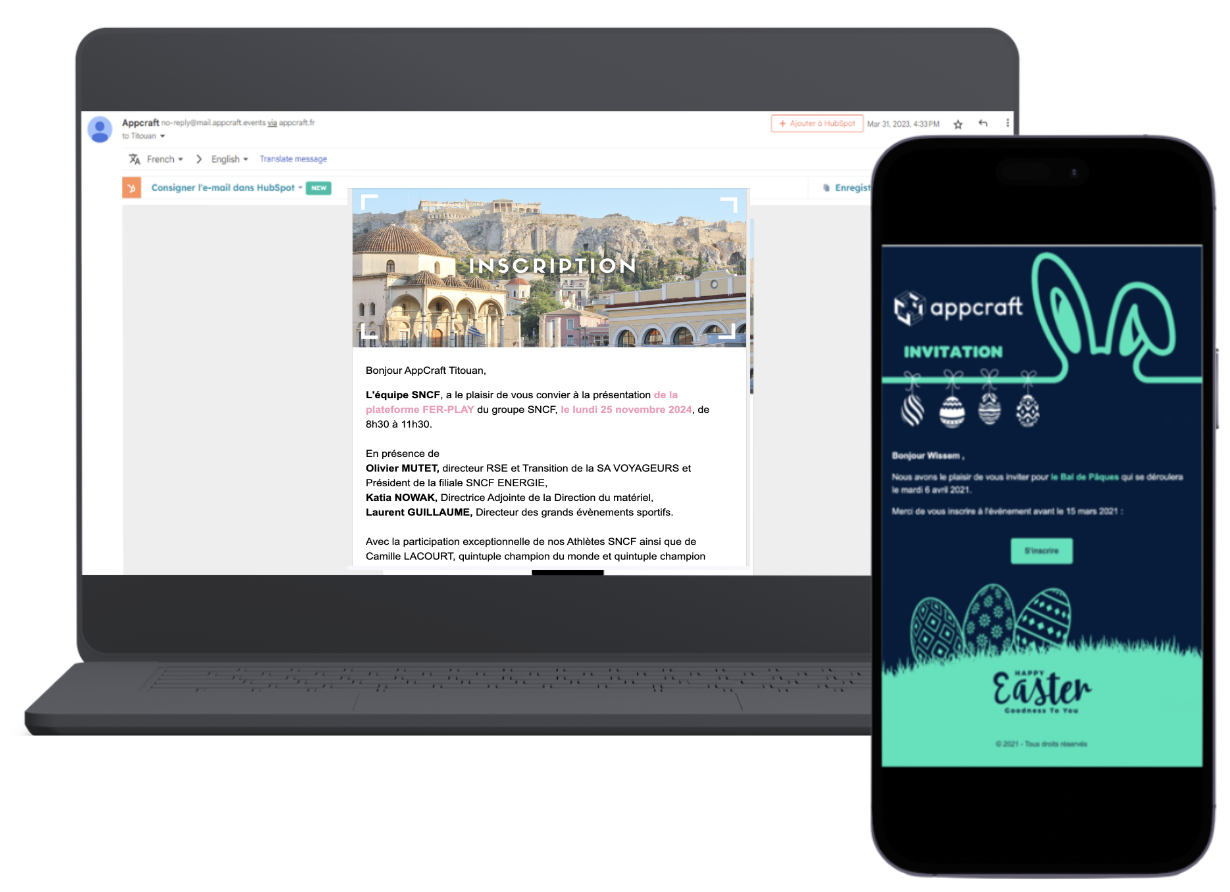
- Fully customizable mailings through the AppCraft editor
- Handling of anomalies (incorrect emails, duplicates, potential typos)
- Certain parts of the email can be shown only to certain attendee categories
- Example of a batch of 8 emails: (invitation, reminder 1, reminder 2, sending of badges/QR code + information at D-15, reminder at D-7, reminder at D-1, post-event email)
- Option to schedule emails
> Transactional emails (for example, the automatic email when registering for a workshop) are provided free of charge by AppCraft
It is up to the client to whitelist the domain name to ensure the best possible email deliverability (for internal audiences).
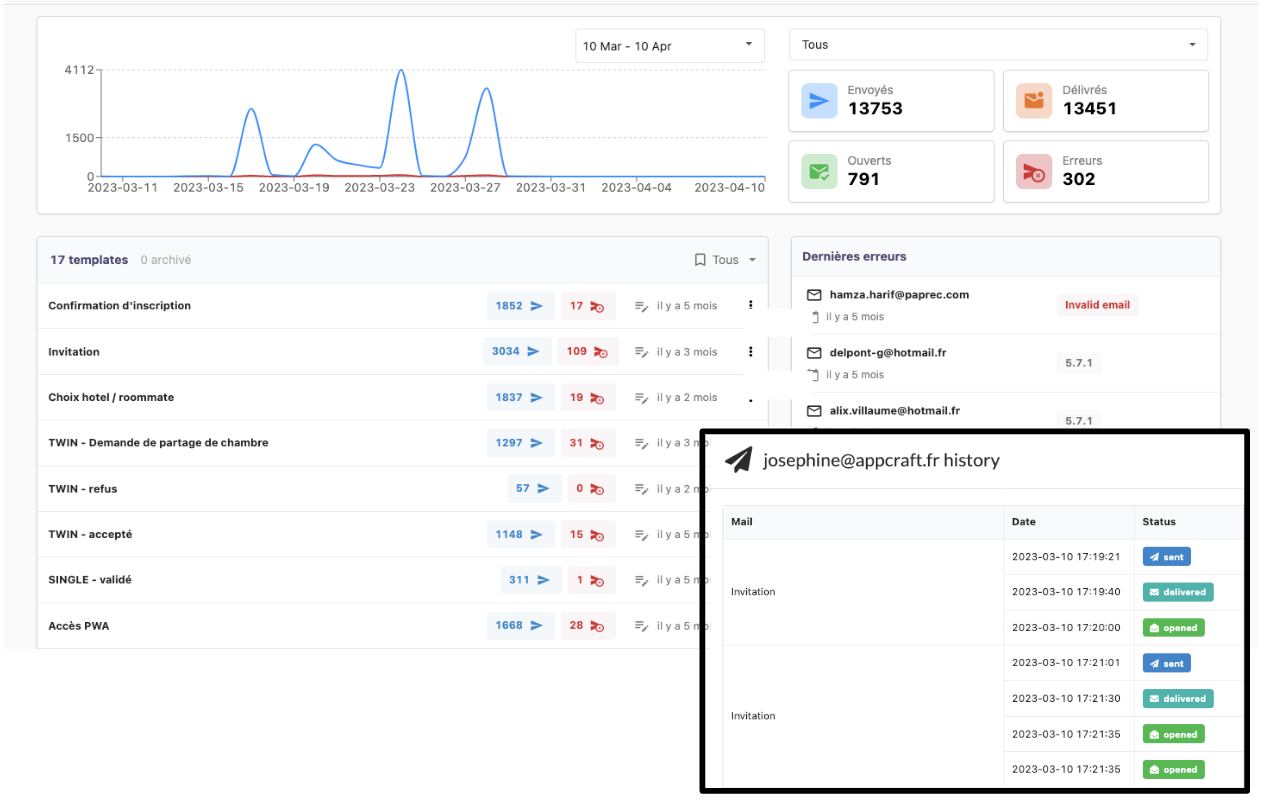
Registration and mailing statistics:
- Email status by attendee/guest (sent, received, unsubscribed)
- List of emails in error, with the type of error
- People who opened the email or clicked its CTAs (depending on the server, this module may be unavailable).
Here is the list of fonts available at AppCraft in the mail section. They will ensure that emails look the same when sent as when received.
- Arial
- Comic Sans MS
- Courier New
- Georgia
- Lucida Sans Unicode
- Tahoma
- Times New Roman
- Trebuchet MS
- Verdana
The benefits of email campaigns
- Flexible invitation management: send invitations by group or by inviter for advanced invitation personalization.
- Custom webmail: lets you create or connect a webmail dedicated to the event for the organizer, giving attendees a consistent, professional experience.
- Anomaly handling: makes it easier to deal with issues such as incorrect emails or duplicates, ensuring smooth and effective communication.
- Detailed send tracking: provides complete statistics on emails sent, delivered, opened and unsubscribed, so organizers can measure how effective their communication is.