
Interactivity Sheet 32 / 68
Interactive Questions and Answers
Encourage interactivity with our Q&A module: live questions, moderation, likes, and on-screen display for dynamic and engaging exchanges.
Quote line: Interactivity - Q&A module
Questions and Answers Module
Different options - Participant views

Questions with a "like" system: the most-liked questions rise to the top
The participant only sees their questions.
Questions and Answers Module
Question moderation and speaker view

Questions and Answers Module
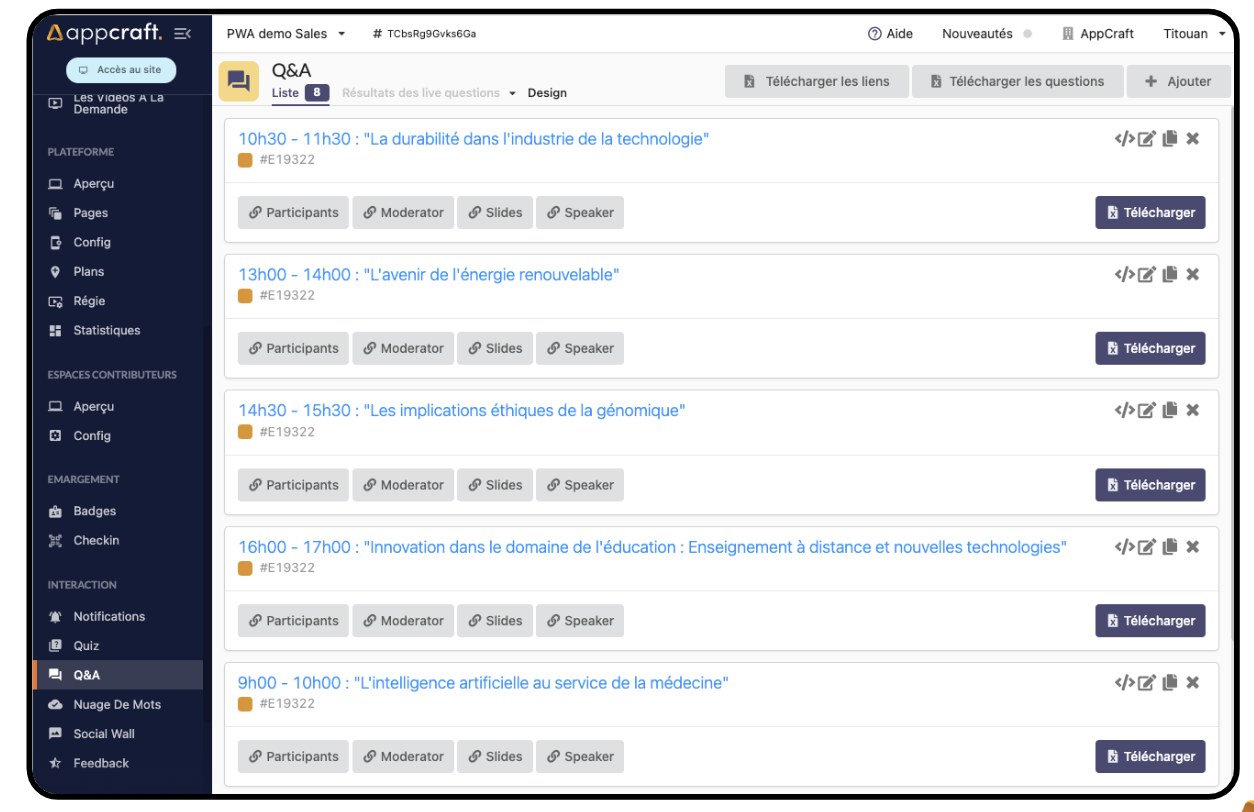
Summary of back-office Q&A
Virtual or hybrid events
Virtual or hybrid events

Interactivity - Questions and Answers Module
> Moderated questions:
- Each attendee can ask their question live
- The organizer can moderate the questions and/or answer them directly in writing
- The speaker has a link to view the questions
- Link to display the questions on a big screen
OR
> Unmoderated questions with "likes"
- Each attendee can ask a question
- Others can like the questions
- The questions with the most "likes" rise to the top
- The organizer can answer questions directly in writing
OR
> Questions before the event
- Each guest can ask their question on the site's home page, by topic.
The benefits of the Questions/Answers module
- Lets you filter and select the most relevant questions to answer during the session
- Saves time during sessions by avoiding long spoken answers
- Encourages interaction with attendees
- Attendees feel more engaged and have a chance to voice their questions
- Makes it easier to pick the most interesting questions to address during the session