
Logistics Sheet 43 / 68
Event logistics: managing room quotas
Manage room quotas for your events. Flexible allocation, real-time management, and export of reservations for optimal organization.
Quote line: Room quota management in the form (with flexible or fixed arrival/departure dates)
Creation of hotels/rooms
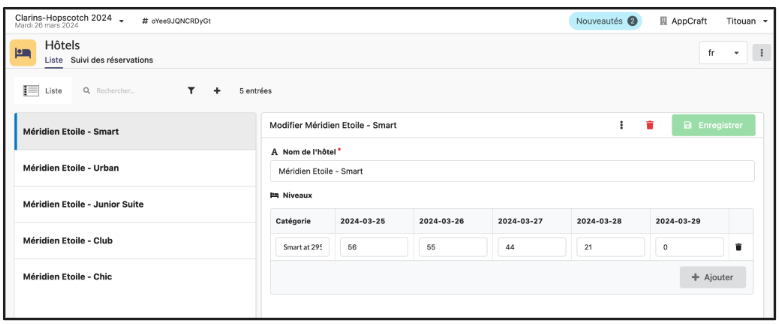
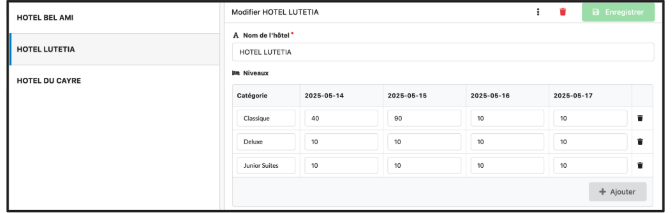
Choice of room by the participant
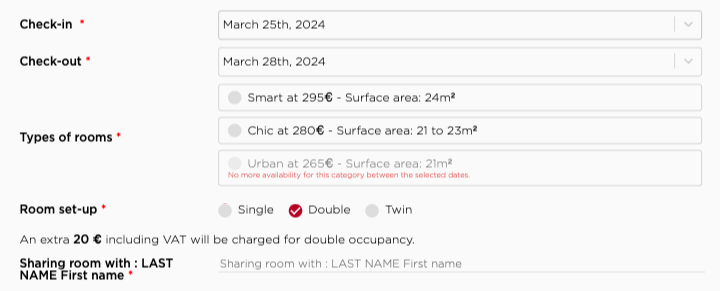
The participant enters their arrival and departure dates in the registration form, and the tool then shows them the available rooms.
Manual assignment
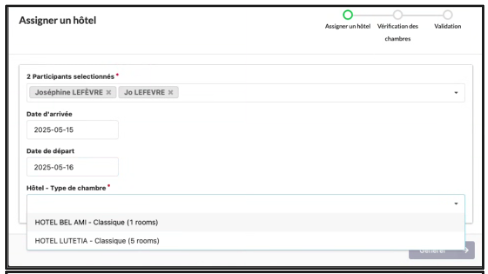
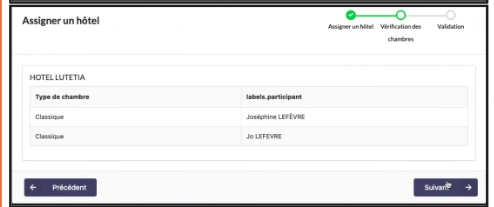
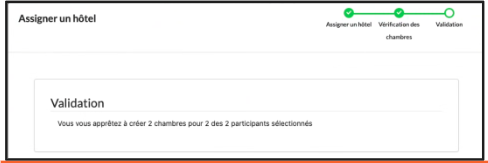
The organizer can also select one or more participants and automatically assign them to available rooms based on the dates they have chosen.
Fill-rate tracking
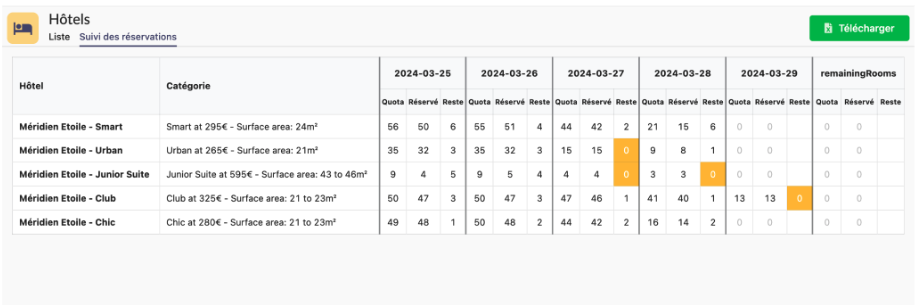
The organizer can track the number of rooms reserved by participants, by date and by hotel, in the back office. Rooms that are fully booked are highlighted with an orange box.
Management of room quotas in the form (with flexible or fixed arrival/departure dates)
Administrators can independently enter the number of rooms available and the number of places in each room using the form.
- Attendees can choose a room/hotel only if the room quota entered in the back office by the organizer has not run out.
- Attendees can choose to come for a period of consecutive days (e.g., Monday, Tuesday, Wednesday) or not (e.g., Tuesday night and Thursday night)
- Please note that for a single event, you cannot use both management modes at the same time (consecutive and non-consecutive nights).
- If you choose the non-consecutive nights option, all possible days are displayed and attendees tick the nights they want to stay.
- If the room quota has run out, the hotel is shown as full to the attendee, who must choose another one
- The organizer can increase the number of available rooms at any time through the AppCraft back office
Summary of listings from the back office by room type – Exportable to Excel file
The benefits of room quota management
- Manage availability precisely while giving attendees flexibility in choosing their room, based on the quotas you set
- Guarantees that attendees will have access to available rooms and avoids any confusion or overbooking
- Allows greater flexibility to adapt to each attendee's individual needs
- Enables real-time availability management and prevents overbooking
- The platform's back office provides a summary of the lists by room type. This information can be exported to Excel, which makes data management easier and allows a detailed analysis of the bookings made