
Mobile solution Sheet 29 / 68
Mobile solution for your event
Offer your participants a seamless experience with our mobile solution: personalized program, practical information, push notifications, and more.
Quote line: Mobile solution for on-site attendees
Demo video

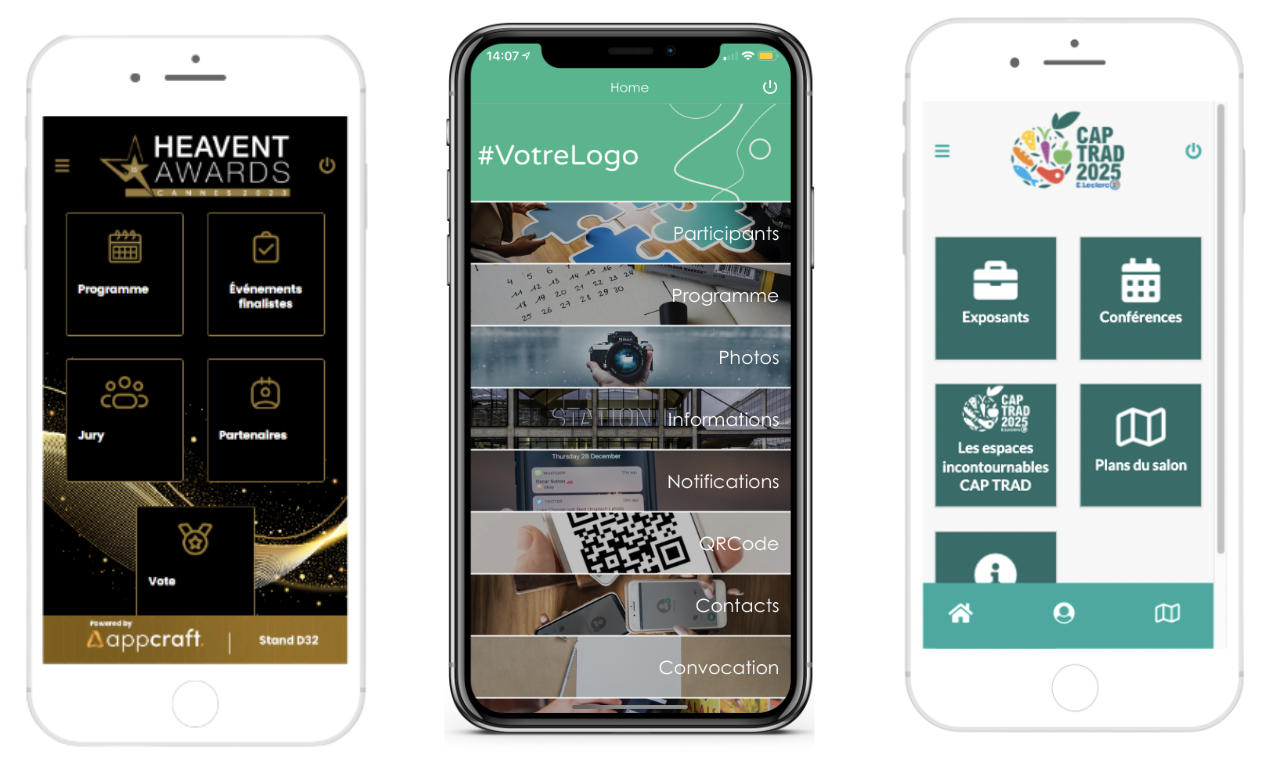
Visuals
Visuals

Visuals

Demo access

Access with no download

Complete description of the mobile solution
Mobile solution accessible via a link received by email or by scanning a QR code. Option to turn the link into an icon on the home screen with a single click.
Login / password required to enter the mobile solution (security). Attendees can choose their own password on first login (*the password must be at least 8 characters long, including at least 1 lowercase letter, 1 uppercase letter, 1 digit and 1 special character – AppCraft IT security policy).
The modules (can be turned on or off in real time):
- Unlimited practical information pages (accommodation, transportation, contacts)
- Personalized, à la carte agenda based on the workshops you have registered them for / they have registered for, and for which they can keep registering during the event (activity, meal, evening event, conference…)
- Speaker list
- Attendee directory (list or photo directory)
Contact directory
- File sharing in the app by organizers
- FAQ with an unlimited number of sections
- Profile page for each attendee
- Google Maps map with key points (hotel, meeting point, airport…)
- Notifications (notification center, push on Android / no push on iOS)
- Direct access to the event's WhatsApp group
Complete description of the mobile solution
> Workshop descriptions can be generated with ChatGPT.
You can add interactive activities and the networking module, depending on the options you choose.
Attendees can find their own information: their agenda, their shuttle/room number, their train/plane ticket…
The advantages of the mobile solution
- The mobile solution is accessible via a simple link received by email or by scanning a QR code, eliminating the need to download a specific app.
- Organizers can provide unlimited practical information (accommodation, transportation, contacts), and share files directly via the app, providing participants with all the necessary information in an organized and accessible way.
- Ability to alert participants in real time via notifications.
- Participants can create their own event schedule from the mobile solution.
- The app serves as a real compass for participants.
Visuals


